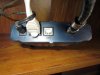
Here is a pic of the back of my router. Only open port is marked usb. Not sure what it is for.
That's not the router. That's the cable modem. I have one similar from Optimum (so sorry to hear you have TWC

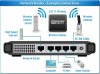
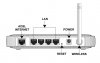
). You'll need a wireless router. Optimum gave me one with an input from the modem and 4 ports on the back. TWC probably provides one for free. Just have to call them. I have my PS2, PS3 and PS4 plugged in directly. Everything else I have (phone, my laptop, my desktop) run through the WiFi. I personally prefer to use Ethernet cables when connecting to a router. Data transfer and connection is more reliable. That and my router is set up near my TV so win win for me

If you want to buy, in terms of brands, I personally prefer Lynksys. I got a wireless router in college from Lynksys and it still works (and they still make it! I bought it over 10 years ago). Only reason I don't use it is because Optimum gave me one and I forgot the password for the router. And I just moved and didn't have the time to fuss with it. If you buy one, just read the reviews. Like anything, certain models suck and certain models are phenomenal. But, if you don't want to spend money, TWC if it's like Optimum will provide one for free. I personally don't like mine because Optimum forces you to have an open Optimum Hotspot so anyone can connect, slowing down your connection speed. If you don't care, just go with the free one. Plus side of the free one is if it breaks, they'll just give you another one.
Now, after you get the router, set up is a breeze. Follow the manufacturers instructions for the router to set it up. If you get it through the cable company, they'd likely set it up for you. Though, they'll likely charge you for the visit. When I moved, Optimum made me do a house call for the modem and router. I paid 120 bucks to watch the guy plug it in. So avoid it if possible
Just follow the instructions and you'll be fine. Now, you take the Cat5 cable and plug it into the back of the PS4 and into the router. Boot up the PS4, go to the internet connection settings and follow the instructions. The PS4 does the work for you. And you're done! From start to finish, only takes a couple minutes and it's super easy.


 Also, if I don't update, I do get pestering messages. You can just keep ignoring them or you can just have your PS4 download patches in the background which is what I normally do. If there's an update, it only impacts a few minutes of game time while it installs.