Hi all,
I have recently got myself a PS4 which works fine and signs into PSN great. The PlayStation app also works great and the remote power options and second screen also works great.
But whenever i try to start the PS4 Remote Play app it just sticks on the signing in screen. The little circle just spins away in the middle of the screen of my Z2 seemingly doing nothing about actually signing me in.
When i first attempt to sign in the app exits to the chrome browser app and prompts for me to input my credentials, which is what i do and then after signing in it goes back to the PS4 Remote Play app and just sits there spinning the little circle fustratingly what seems like forever.
Any help would be much appreciated all.
My Z2 is on 4.4.4
PS4 is on 2.50
Ive used a BT Home Hub as well as a TP Link on 2 different Internet connections.
I have UPnP activated in both routers
I have added the PS4 to DMZ
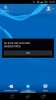
Below is a screen shot of the ''Signing in to PSN...'' issue. I haven't even started to think about remote play outside of the house, i just want it working within the house.

Let me know if you have any ideas guys and girls.
I have recently got myself a PS4 which works fine and signs into PSN great. The PlayStation app also works great and the remote power options and second screen also works great.
But whenever i try to start the PS4 Remote Play app it just sticks on the signing in screen. The little circle just spins away in the middle of the screen of my Z2 seemingly doing nothing about actually signing me in.
When i first attempt to sign in the app exits to the chrome browser app and prompts for me to input my credentials, which is what i do and then after signing in it goes back to the PS4 Remote Play app and just sits there spinning the little circle fustratingly what seems like forever.
Any help would be much appreciated all.
My Z2 is on 4.4.4
PS4 is on 2.50
Ive used a BT Home Hub as well as a TP Link on 2 different Internet connections.
I have UPnP activated in both routers
I have added the PS4 to DMZ
Below is a screen shot of the ''Signing in to PSN...'' issue. I haven't even started to think about remote play outside of the house, i just want it working within the house.
Let me know if you have any ideas guys and girls.