• Welcome to PS6Forums - The #1 PlayStation Forum. Why not take a minute to register for your own free account now? Registration is completely free and will enable the use of all site features including the ability to join in or create your own discussions.

Playing PS4 through Hdfury for an Older TV

I have been trying to do a lot of research. Several people mention that the hdfury would allow
You to play ps4 threw threw the hdmi output threw the hdfury to you older no hdmi tv.

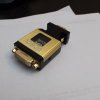
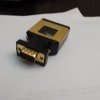
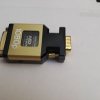
Anyone have info to support. I just found this unit at a goodwill. What else should be done to get this done
There're aren't any cable with this part. What would someone need to get this hooked up.

Before anyone say get a new hdmi compatible unit. I'm good with the one I have right now.

Ty for your help
 

Attachments
  • image.jpg
    image.jpg
    6.7 KB · Views: 1,003
  • image.jpg
    image.jpg
    7.8 KB · Views: 986
  • image.jpg
    image.jpg
    6.6 KB · Views: 965
Last edited by a moderator:
I don't have any experience with this particular product. I looks like it connects through the ends, so you run your hdmi through one end and plug your RCA / Component in the other end. Its displayed like that on their website. What outputs does you TV have? You have to buy the right one for your TV.
 
Hi there,

With PS4 FW 1.50, there is still no support for DVI-D(hdcp) display, you can easily confirm this by trying to hook up PS4 to a DVI-D(hdcp) monitor with a HDMI to DVI-D cable.
So until sony fix the output of their PS4 to work with DVI-D(hdcp) display you cannot use the HDF1 (since HDF1 is a DVI-D/hdcp design)
However, HDfury2,HDfury3, HDfury4, all work perfectly to convert HDMI from PS4 into Component, RGBHV or DVI-D (or HDMI without the annoying 4 letters).
HDfury4 with scaler firmware can even convert to any ratio (like 1920x1200 or 1600x1200).

Check their latest news from the official website
 

Get Connected With PS6Forums.com

Like PS6 Forums!

Advertisements

Back
Top